
V3 Game App & APK
V3 Game App and APK information, historical mobile screenshots, Android access questions and practical download checks in one place.
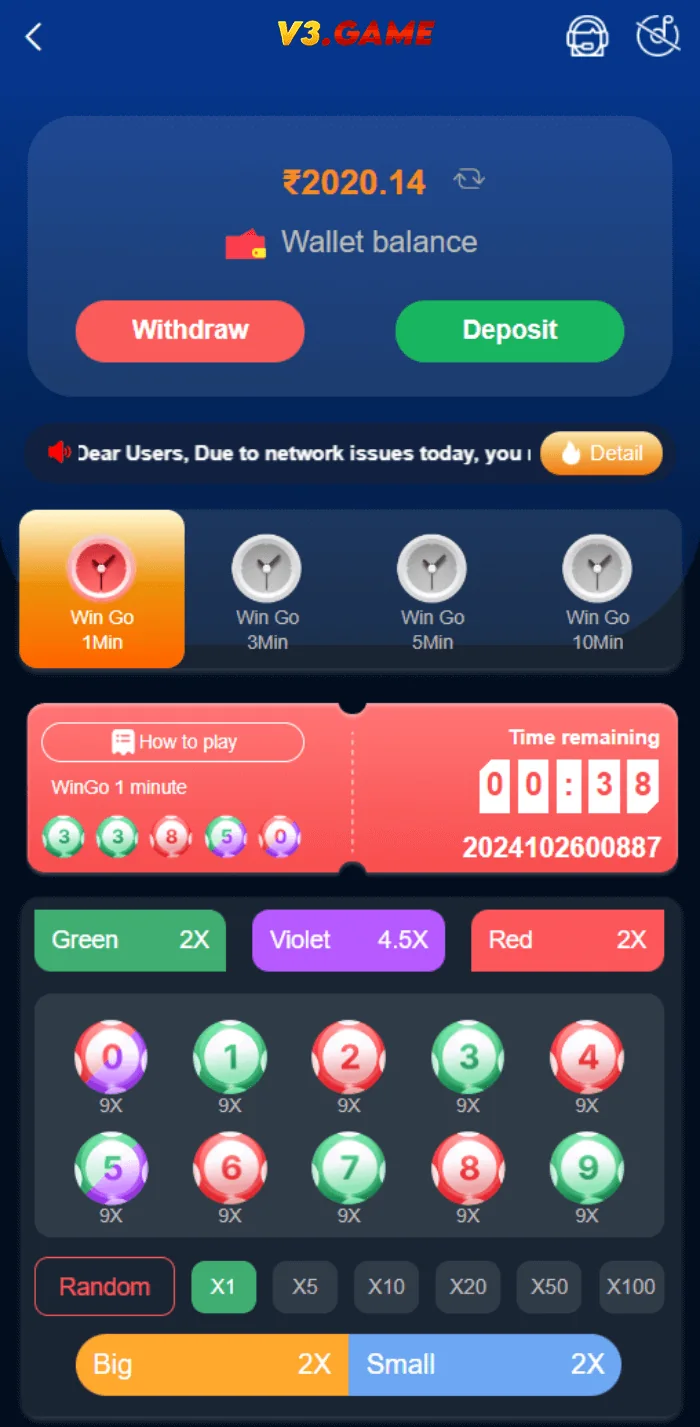
Mobile dashboard reference captured in November 2024.
QUICK ACCESS
V3 Game App & APK – What to know
Clear information, relevant screenshots and practical checks for the topic you selected.
What the V3 Game App images show
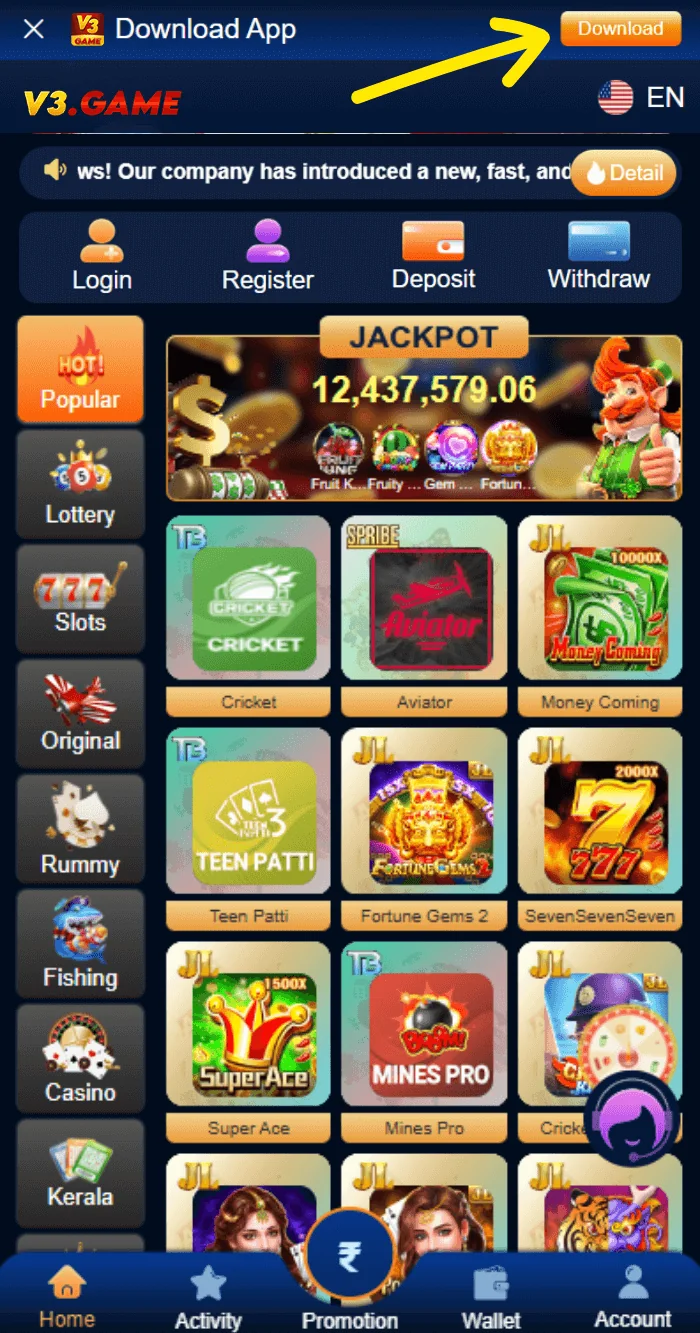
The reference images show a portrait-oriented interface with compact navigation at the bottom and a set of game tiles near the top. One screenshot features a balance panel and quick access to wallet controls. Another shows a wider catalog of colorful game artwork. This gives a useful picture of the older design language: dark blue backgrounds, bright category icons and a navigation bar that keeps common destinations close to the thumb.
None of these screenshots alone establishes whether the current operator offers an Android APK, a web application or both. A browser page that visually resembles an app is still different from a locally installed Android package. The way updates, permissions and storage work can also be different.
For that reason, we do not publish an unverified download file or describe a particular APK as safe. If an app is offered, users should evaluate its publisher, origin and permissions through trusted channels.
Browser access versus a downloaded application
A mobile browser typically loads the current website each time it is opened. An installed app may retain local assets, receive notifications and request additional device permissions. Shortcuts added to a phone home screen can look like installed apps, which makes it important to check the actual source rather than the icon alone.
If the current product supports browser access, users may not need an APK at all. Conversely, an app-specific function shown in a 2024 screenshot may not appear in a current browser view. The right comparison is the current official description and the version actually available to the user.
How to review an Android app safely
Before installing unfamiliar software, confirm the app publisher and exact package source. Read recent reviews critically, check permissions and assess whether any requested access is reasonable for the promised function. An application that asks for accessibility control, SMS content or broad file access without a clear reason deserves scrutiny.
Android security warnings should not be ignored simply because an advertising page describes a download as verified. Modified APK files can replace code, inject unwanted ads or steal data. The safest choice when authenticity cannot be established is not to install the file.
If you do install a legitimate app, keep device software updated and use built-in protection features. Remove old or unused versions rather than maintaining multiple unknown copies of similarly named apps.
App updates and compatibility
An outdated app may stop loading after an operator changes its backend or sign-in method. But connection errors can also result from maintenance, network restrictions or an unsupported Android version. A download link alone cannot solve those issues, and installing unrelated builds can make them worse.
Compare the release date, publisher and package details before updating. Do not treat “latest version” claims on a third-party article as current unless independently verified. The app screens on this site are archived examples from November 2024, not evidence about a November 2026 release.
When asking support for help, report the device model, operating-system version and the wording of the visible error. Never send passwords, OTPs or complete payment credentials.
What a real app publisher listing should tell you
When an Android app is distributed through an established store, the listing commonly shows a publisher identity, permission information, update date and user feedback. Those details help people assess whether the software matches the claimed operator. An APK offered as an isolated file may lack the same context, so it deserves extra caution.
A similar title or a logo matching a 2024 screenshot is not enough to verify a package. The exact publisher, package name and distribution channel need independent confirmation. This website does not provide an APK because the supplied images do not establish a trusted download source.
Any app permissions should make sense for the stated functionality. Requesting unrelated device administration, broad SMS access or accessibility control would be a reason to investigate further rather than click through quickly.
Differences between archived and current app screenshots
The sample home view includes several small icons and banners within one vertical screen. In a later version, product navigation might be simplified, renamed or rearranged. A screenshot is most useful for understanding the meaning of old labels, not for promising that a certain button remains in the same place.
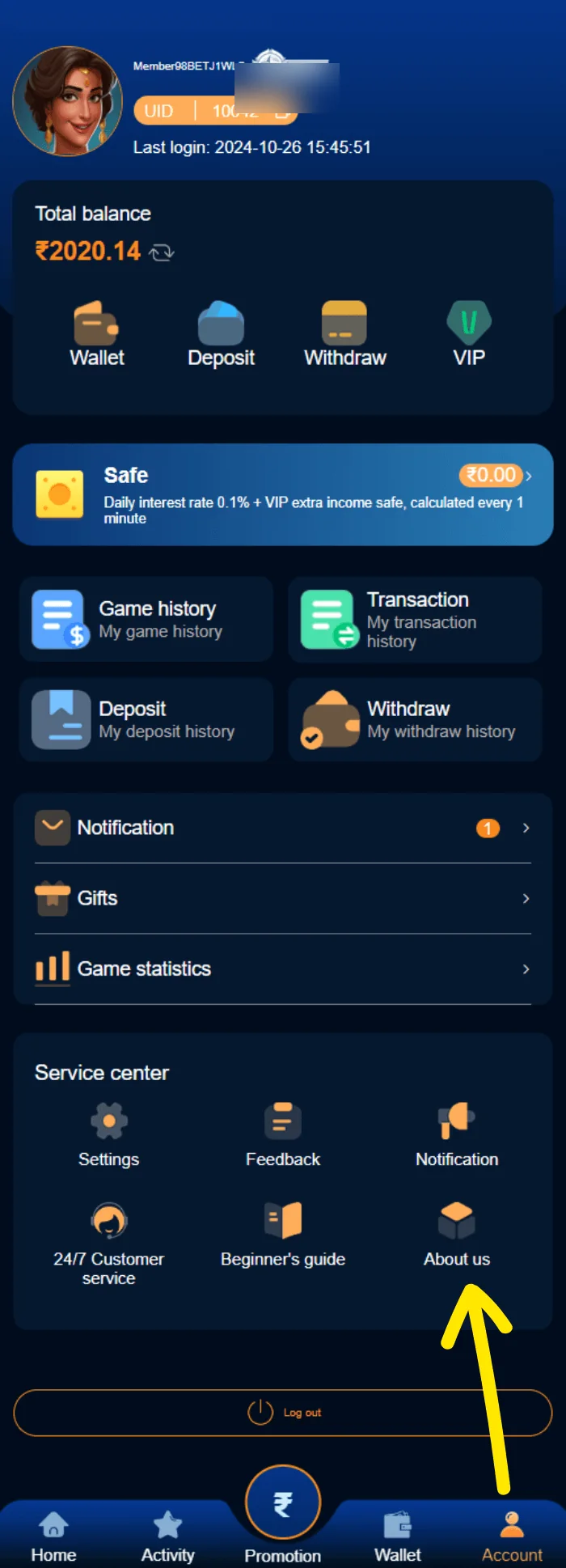
Older screenshots also contain balances and historical campaigns. Those are not reasons to install a particular file or evidence of a current reward. We keep the captures alongside exact explanations of what was visible in them, preserving original proportions and avoiding mismatched captions.
For actual issues such as a sign-in loop or a missing account shortcut, compare the current error and menu labels with the dedicated Login and Account Help pages.
Updating your browser and device
Browser and Android security updates can affect whether a website loads correctly. Before trying modified applications, make sure the system is still supported and that the browser is current. A page that opens in one network but not another can indicate a connectivity or restriction issue, rather than proof that a new APK is needed.
If an installed app becomes unavailable, inspect its official release information or the provider’s verified channels. Do not install several anonymous copies from search results until one appears to work; doing so increases device risk and can complicate troubleshooting.
This page focuses on understanding the app-related interface, not bypassing restrictions or providing a download that has not been verified.
What the app picture does not tell us
The image is evidence of the visual design at the time of capture, not a current software release. It cannot verify a package hash, Android compatibility, current permissions, developer identity or whether a particular APK is distributed by the same operator today. Those details should come from the current source of the file. If they are not available, an archived logo should not be used as a substitute for verification.
Our Download/App CTA points to a temporary external website rather than a file. It remains clearly labelled as an external action. The central CTA file keeps its destination editable without changing text about the app or risking broken hardcoded links on multiple pages.
V3 Game APK: download link and file checks
People searching for V3 Game APK usually want to know whether an Android installation package is offered, where a real download would appear, and how it differs from opening the mobile website in Chrome. The 2024 screenshots show a mobile interface, but they do not identify a current verified APK download address, a signed package name or a publisher listing. This page therefore explains what can be checked rather than offering a file we cannot authenticate.
Before downloading an APK, compare the exact domain, the package name, the publisher, the requested permissions and the version date against the operator’s current information. An icon that looks like V3 Game does not prove that a file is genuine. Keep Play Protect enabled and do not disable Android warnings merely to complete a download. If an installation button is missing, it could mean the service is browser-only, temporarily unavailable or different from the older screenshots.
The App CTA on this information site is an external link configured by the site owner; it is not a direct APK file. The destination is currently a placeholder. Check the full URL in the address bar and verify the current product details independently before installing or entering any account data.
- An APK file is an installer, not proof of an official V3 Game app.
- An Android browser shortcut can look like an app without installing one.
- App permissions and package signatures matter more than a matching logo.
Related interface screenshots
These are supplied historical screenshots placed alongside the topics they illustrate. Personal identifiers are obscured where necessary.
Frequently asked questions
Is a current V3 Game APK available here?
No APK is hosted on this information website. The supplied screenshots are historical and do not confirm a current download.
Can the game be accessed in a mobile browser?
This depends on the current provider. A mobile-friendly interface does not prove that every app feature is available in a browser.
Are the screenshots current?
No. The supplied reference screens date from November 2024.
Do the CTA buttons download an app?
No. The CTA configuration currently links to the site owner’s designated placeholder website.
Where is the V3 Game APK download link?
This site does not host a verified APK file. The older screenshots show mobile access, but do not establish a current download URL or publisher.
Not an official operator. No guaranteed results, earnings or payment claims. Screenshots were supplied from 2024; verify current product details and local eligibility.
Looking for V3 Game account information?
Use the relevant page for account access, app questions or screenshots of the older interface.